For years, the advice for spotting a phishing email was simple: look for bad spelling, weird grammar and a greeting like "Dear Costumer." That advice is going out of date fast.
AI writing tools can now produce clean, natural, even friendly emails in seconds, in any language. Scammers have noticed. The result is phishing that reads like it came from your bank, your boss or your favourite store, because nothing about the writing gives it away.
The good news is that the scam itself hasn't changed much. If you know what to look for beyond the writing, you can still catch it.
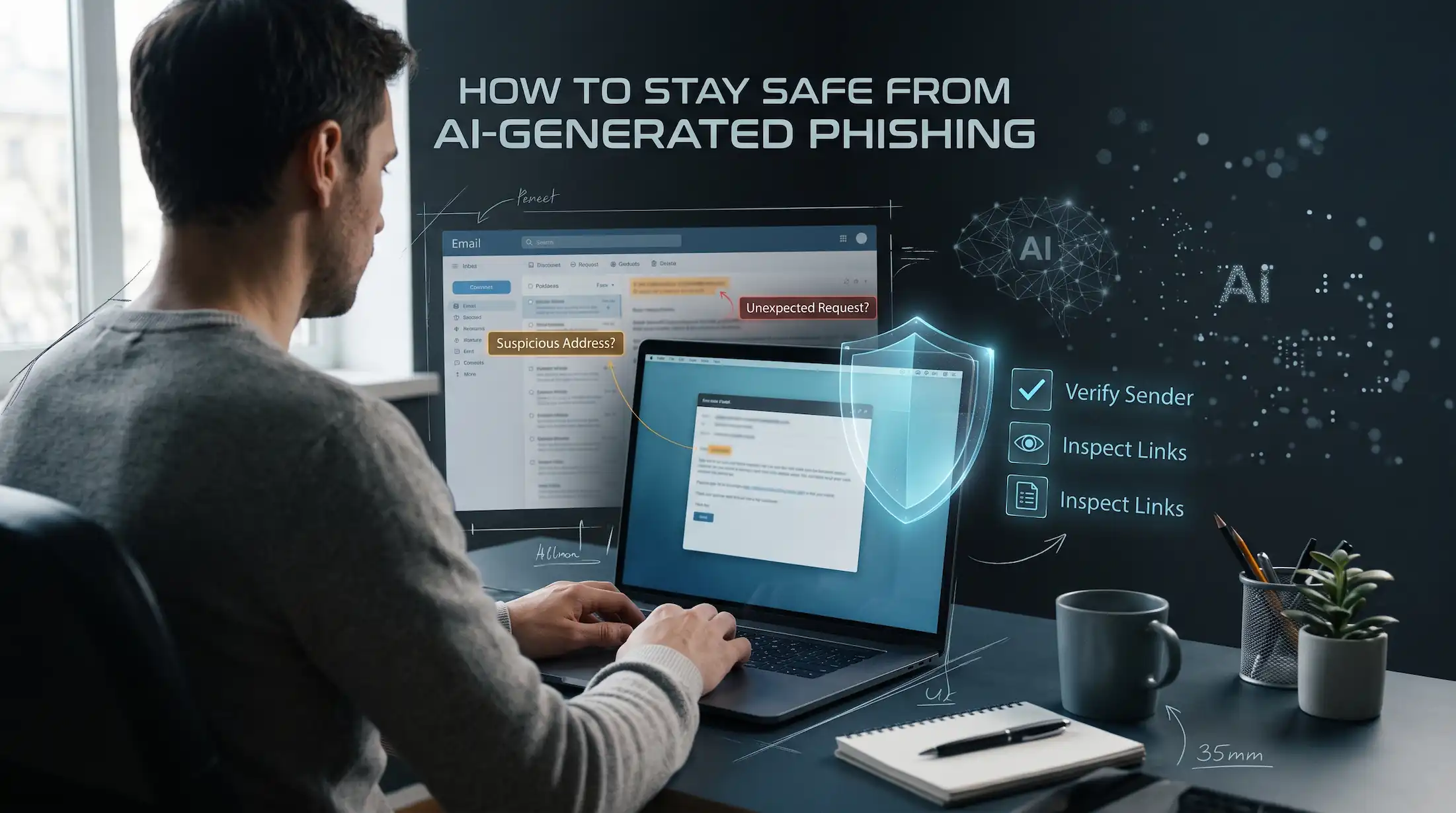
What Makes AI Phishing Different
- No more obvious mistakes. The spelling and grammar are fine. Often better than real company emails.
- Personalised details. Scammers can feed an AI tool your name, job title, employer or recent purchases taken from data breaches and social media. The email feels like it was written just for you, because it was.
- Volume and speed. Writing a convincing, tailored email used to take time. Now a scammer can make thousands of variations quickly, which also helps them slip past spam filters.
- Any language, any tone. A formal HR notice, a casual message from a "coworker", a panicked note from "IT". AI can match whatever style works best.
- Voice and video, too. Some scams follow up an email with a cloned voice on a phone call, or a fake video call, to make the request feel more real.
Common AI Phishing Scenarios
The fake invoice or payment change
An email "from a supplier" says their bank details have changed and asks you to update them before paying the next invoice. It references a real project or company name. Businesses get hit by this one a lot.
The account problem
"We noticed unusual activity on your account. Please confirm your details within 24 hours to avoid suspension." Clean design, real logo, a link to a page that looks exactly like the actual login page.
The boss who needs a favour
A short message from your "manager" asking you to buy gift cards for a client, or to quickly approve a transfer. It's written in their usual style because the scammer studied their public posts.
The delivery or refund
A package couldn't be delivered, or you're owed a refund. Click to reschedule or claim it. These spike around big shopping periods.
How to Spot an AI Phishing Email
Since you can't rely on bad writing anymore, focus on what the email wants from you and where it came from.
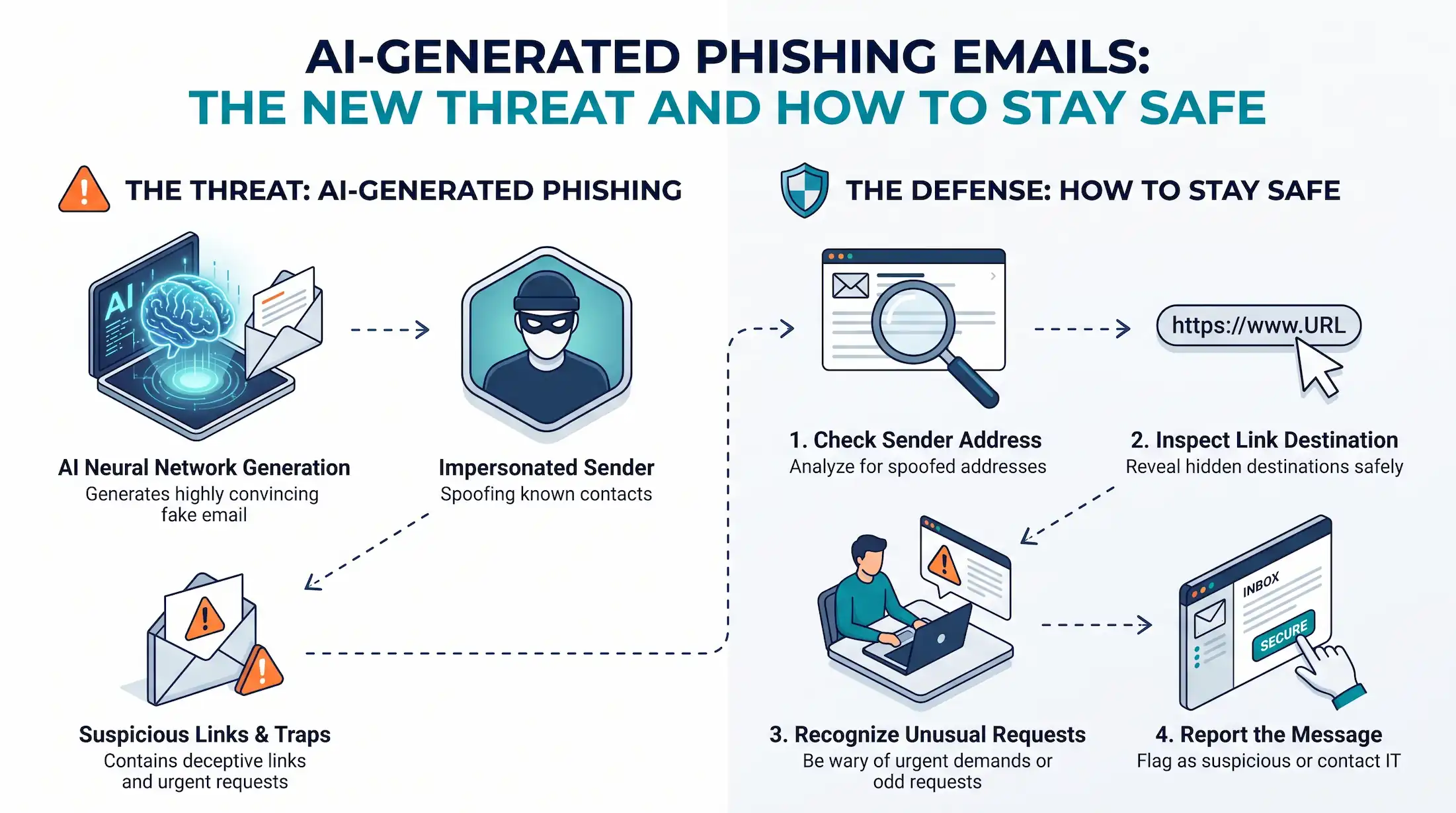
- Check the request, not the writing. Anything asking for passwords, verification codes, payment, gift cards or changed bank details deserves suspicion, however polished it looks.
- Notice the pressure. "Within 24 hours." "Urgent." "Don't tell anyone yet." Real organisations rarely rush you like this.
- Look at the actual sender address. Not just the display name. Watch for lookalike domains with an extra letter, swapped characters or odd endings.
- Hover before you click. On a computer, hover over a link to see where it really goes. On a phone, press and hold. If the domain doesn't match the company, don't go there.
- Be wary of unexpected attachments, especially "invoices", zip files or documents asking you to enable something.
For a deeper checklist, read our guide on how to spot a phishing email before it steals your data.
How to Stay Safe
Verify through a second channel
This is the habit that beats almost every AI phishing trick. If an email asks you to do something important, don't reply and don't use the contact details in the message. Open the company's app, type their website yourself, or call a number you already have. For workplace requests, a quick message to the person on another platform settles it.
Use passkeys and two-factor authentication
Passkeys only work on the genuine website, so a fake login page can't steal them. Where passkeys aren't available, turn on two-factor authentication with an authenticator app. Even if a password gets phished, the attacker usually still can't get in.
Use a password manager
Password managers fill in your details only on the real site. If yours refuses to autofill on a page that "looks like" your bank, that's a big warning sign.
Give your real email to fewer places
Personalised phishing depends on scammers knowing your email and a few details about you, often taken from breaches. The fewer sites that have your real address, the less fuel they have. Using Temp Mail .FYI for one-time sign-ups, downloads and coupons keeps your main inbox out of a lot of databases.
To be clear, a temporary inbox can receive phishing too, and it doesn't make you immune. It's one layer that reduces exposure, not a shield. Never use it for banking, work or any account you'll need to recover.
If You Think You've Been Phished
- Change the password for that account straight away, and anywhere else you used it.
- Turn on two-factor authentication if it wasn't already on.
- Check recent activity, sent emails and forwarding rules on your email account.
- Call your bank using the number on your card if you entered payment details.
- Report the email to your email provider and, at work, to your IT team.
The Bottom Line
AI has made phishing emails look better, but it hasn't changed what they're after: your logins, your money or your trust. Stop judging emails by their grammar, slow down when something feels urgent, and verify through a channel you control. And for more ways to keep scammers out of your inbox, see how to secure your mailbox from spamming and phishing attacks.
Frequently Asked Questions
Can AI phishing emails really fool careful people?
Yes. Because AI removes the spelling mistakes and awkward phrasing people used to rely on, even careful readers can be fooled. Checking the request itself is more reliable than judging the writing.
What's the single best defense against AI phishing?
Verify through a separate channel. If an email asks for money, codes or a login, contact the sender using a number or website you already know, not anything in the message.
Do passkeys help against phishing?
Yes. Passkeys are tied to the real website, so a fake login page can't capture and reuse them the way it can steal a typed password.
Does using a temporary email stop phishing?
No. A temporary inbox can still receive phishing. It just keeps your real address off sites you only use once, which can reduce how many scammers have it.
What should I do if I clicked a phishing link?
Change the password for that account (and any account sharing it), turn on two-factor authentication, check for unfamiliar activity, and contact your bank if you entered payment details.
